
Makeup Mirror: Light & Zoom
Life365 studioBeauty
4.37.00 Reviews
- Version
- 1.0.22
- Installs
- 100.00K
- Age Rating
- Everyone
Screenshots
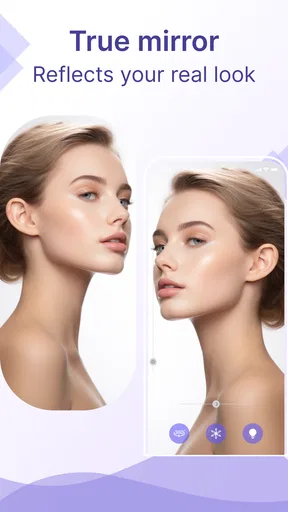
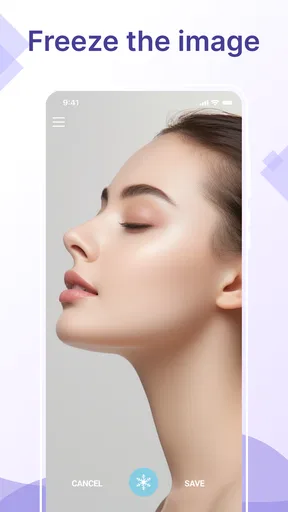
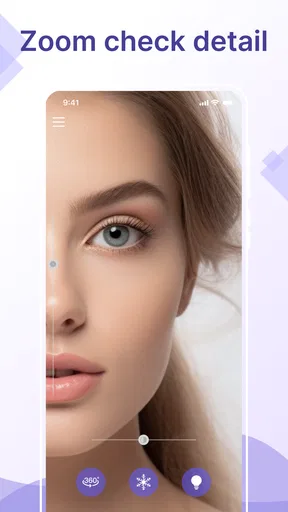
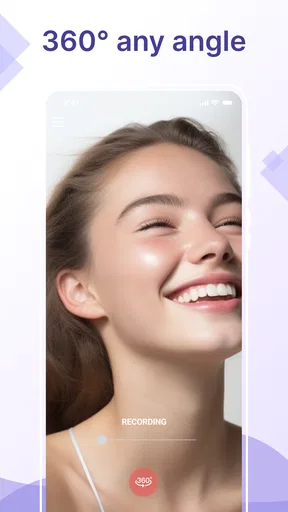
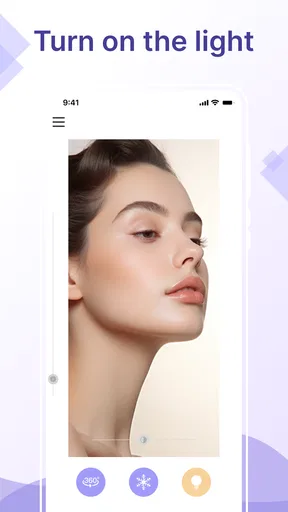
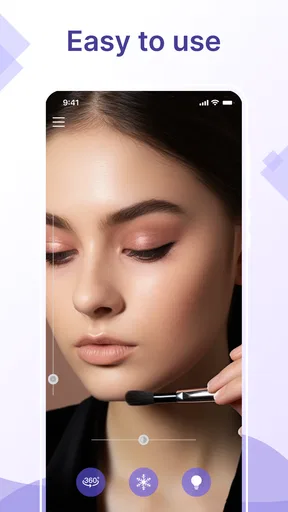
Our Review of Makeup Mirror: Light & Zoom
 Analysis by Appyee
I reach for a phone mirror in a very specific situation: I’m ready to leave, the room’s mirror is occupied, and I want to check one detail without unpacking anything. Mirror - Make up is built for that small, practical gap. It turns a phone into a pocket reflection tool, which is useful when convenience matters more than a full beauty setup. I like the idea, though I’d treat it as a handy backup rather than a replacement for a proper mirror and good lighting.
A quick check before you start
Because this is a beauty app centered on a mirror, the first question is less about makeup techniques and more about where you’ll use it. A phone screen is easy to carry into a hallway, car park, or office washroom, but the camera’s view and the surrounding light shape what you see. If you’re checking whether lipstick has smudged, that may be enough. If you’re judging the balance of a carefully blended look, a larger mirror in natural light is still the safer final check.
The app is made by Life365 studio and is free to install, with optional in-app purchases listed from $0.49 to $6.99 per item. Its age rating is Everyone, and it has reached over 100,000 installs with a 4.3 average from around 418 ratings. Those figures suggest that plenty of people find a basic phone mirror useful, but they don’t tell me whether it will suit every phone, camera, or lighting setup. I’d try the free experience first and decide whether any paid option is worthwhile for my own routine.
From opening the app to checking a detail
The useful workflow is straightforward: open the app, point the phone’s camera toward your face, and use the screen as a reflection while you make a quick adjustment. I’d start by finding a steady position and facing the brightest available light source. That small setup step matters more than it sounds; a bright screen cannot make an uneven room light evenly illuminate your face.
For a fast check, keep the phone at a comfortable distance and look at the whole face before moving closer to inspect one area. If you zoom in, it becomes easier to spot a stray brow hair or lipstick at the edge, but it also becomes harder to judge the overall result. I find it helpful to zoom back out before deciding whether the makeup looks balanced. A close-up is a detail check, not a substitute for seeing the complete look.
The freeze-frame option described in the app’s use can help when you need to pause on a particular angle. I’d use it as a temporary reference rather than assume the frozen image represents how my face looks from every angle. A still view can help with a small correction, but it won’t show how makeup reads while moving or under a different light source.
When a phone mirror is the right tool
Imagine getting ready to leave work and noticing that your lipstick needs attention. There may be no convenient wall mirror nearby, and opening a full camera or photo-editing app feels like extra effort. A dedicated mirror app gives you a quick way to look, tidy the edge, and put the phone away. That’s where I see the strongest case for this kind of tool: short checks between the start and end of a routine, rather than doing an entire makeup application from scratch.
It can also help while travelling light. A compact phone is already in your bag, so there’s no need to carry a separate handheld mirror just for occasional checks. On the other hand, if I’m applying eyeliner from the beginning or doing detailed grooming, I’d rather use a stable tabletop mirror. Holding a phone takes one hand, and the camera position can make it awkward to work precisely with the other. The app is convenient, but it doesn’t remove that physical trade-off.
Compared with opening the phone’s regular camera, a dedicated mirror app can feel more direct: the purpose is clear, and the controls are intended for looking at yourself rather than composing a photo. A compact folding mirror is still better when I need a reflective surface that works without a charged phone, and a lit vanity mirror gives me a broader, steadier view. I’d choose this app for portability and quick access, not for the most demanding makeup work.
What to keep in mind while using it
Lighting is the biggest practical limitation. Raising screen brightness can make the display easier to see, but it does not change the light falling on your face. If one side of the room is shadowed, the phone may show that unevenness rather than fix it. For a more dependable check, face a window or another broad light source, avoid relying on a single overhead bulb, and step back to view the whole face before leaving.
There’s also a difference between a reflection and a captured image. A live camera view is useful for grooming, but it can feel unfamiliar compared with looking into a glass mirror, and a saved photo may not match what you see in person. I wouldn’t use a quick phone check as the only basis for choosing foundation shade or judging how makeup will appear outdoors. Those decisions benefit from checking in the light where you’ll actually spend time.
If you’re concerned about taking or sharing photos, treat the capture option as a separate choice from simply using the mirror. You do not need to take a picture just to check your appearance. I’d only capture an image when I had a reason to keep or share it, and I’d review it before sending it anywhere. That keeps a quick grooming tool from turning into an unnecessary detour through social apps.
Who will get the most from it
I’d recommend trying it if you often need a quick face check away from home, travel with minimal belongings, or want a simple way to inspect a small makeup detail. It may be especially handy for checking a smudge after lunch or making sure hair and makeup still look tidy before a meeting. The app’s current version is 1.0.17 and it supports Android 6.0 and later, so it can work on a range of older Android devices that meet that requirement.
I’d skip it as my main tool if I wanted a large, hands-free view, consistent professional lighting, or a dedicated routine for detailed makeup application. I’d also choose a physical mirror when my phone battery is low or when I need to use both hands. The right choice depends on the job: this is strongest as an always-nearby convenience, while a proper mirror is better for control and comfort.
Getting to Know Mirror - Make up
First things first, the app is super easy to download and install. Available for both Android and iOS, it’s just a quick search away in your app store. Once installed, you’re greeted with a sleek interface that's both intuitive and user-friendly. No complicated menus or unnecessary features—just you and your digital mirror.
Features That Shine
The standout feature of Mirror - Make up is its clarity. The app uses your phone’s camera and transforms it into a high-resolution mirror. You can zoom in and out with a simple pinch, allowing you to perfect even the tiniest details of your makeup. It’s like having a magnifying mirror without the bulk.
Another nifty feature is the adjustable brightness. Whether you’re in a dimly lit room or under harsh fluorescent lights, you can tweak the lighting to mimic daylight. This means no more makeup mishaps when you step outside. Just adjust the brightness slider, and voila! Perfect lighting, every time.
Functionality at Its Best
One thing I really appreciate about this app is the freeze frame capability. Ever tried applying eyeliner with one hand while holding a mirror in the other? It’s a struggle. With the freeze frame, you can hold the mirror steady by simply tapping the screen. It’s a game-changer for all those tricky angles and intricate details.
If you’re someone who loves sharing your makeup looks, you’ll love the built-in photo capture feature. Snap a pic directly from the app, and share it on your social media platforms in a jiffy. It’s seamless and saves the hassle of switching between apps.
Design and Usability
Let’s talk about aesthetics. The app’s design is minimalistic, ensuring that nothing distracts you from what’s important—your reflection. The buttons are placed conveniently, making navigation a breeze. Even if you’re not tech-savvy, you’ll find it incredibly easy to use.
Performance-wise, the app runs smoothly without any noticeable lag. It doesn’t drain your battery, which is a blessing for those of us who are perpetually low on juice. Plus, it doesn’t require an internet connection, so you can use it anywhere, anytime.
Final Thoughts
In a world where we rely heavily on digital solutions, Mirror - Make up is a refreshing addition to my app arsenal. It’s practical, reliable, and incredibly handy. Whether you’re a makeup novice or a seasoned pro, this app is perfect for anyone who wants to ensure their makeup is always on point. So next time you’re in a pinch without a mirror, just whip out your phone and let the app do the rest.
Ready to give it a try? Head over to your app store and transform your phone into the ultimate beauty companion. Trust me, you won’t regret it!
Verdict
Strengths of Makeup Mirror: Light & Zoom
- User-friendly interface for easy navigation.
- High-quality virtual makeup tools.
- Wide variety of makeup styles available.
- Real-time makeup application feature.
- Compatible with most devices.
Limitations of Makeup Mirror: Light & Zoom
- Some features require in-app purchases.
- Occasional app crashes reported.
- Limited customization options.
- Requires constant internet connection.
- Ads can be intrusive.
Similar Picks in This Category
View All
Beauty Makeup Editor & Camera
Photo & Video Editors - Instant Solution4.7

Perfect365: Face Makeup Editor
Perfect365, Inc.3.5

Mirror Plus - HD Mirror app
Digitalchemy, LLC4.8

Cute Lock Screen & Wallpapers
Prometheus Interactive LLC4.6

HD Camera for Android
One Music Player4.5

Phone Mirror app - True Mirror
Cards4.6
Frequently Asked Questions
What features does the Mirror - Make up app offer?
The Mirror - Make up app provides a virtual mirror with adjustable brightness, zoom capabilities, and a freeze frame option. It also includes makeup tutorials and tips, helping users apply cosmetics with precision. The app uses the device's front camera to simulate a high-definition mirror experience, ensuring clarity and ease of use.
Is Mirror - Make up app free to use, or are there in-app purchases?
Mirror - Make up is free to download and provides several basic features at no cost. However, it does offer in-app purchases for advanced features, such as premium makeup tutorials and ad-free experiences. These purchases are optional but enhance the overall functionality and user experience of the app.
How does the Mirror - Make up app ensure user privacy?
The app prioritizes user privacy by not storing or sharing any images or video captures without consent. It uses the front camera only for real-time mirroring, and all processing is done on the device itself. Users can review the app's privacy policy for further details on data handling practices.
Can the Mirror - Make up app be used on all devices?
The app is compatible with most Android and iOS devices that have a front-facing camera. However, for optimal performance, it is recommended to use devices with higher resolution cameras. Users should ensure their operating system is up to date to avoid any compatibility issues.
How user-friendly is the Mirror - Make up app for beginners?
The app is designed with an intuitive interface, making it easy for beginners to navigate. It includes step-by-step tutorials and guides to assist new users in utilizing its features effectively. The straightforward design ensures that even those with minimal tech experience can enjoy its benefits without difficulty.
